
NixOS, The Best Distro, That Isn't For You
A short critique on my distro of choice, and why most people probably shouldn't use it
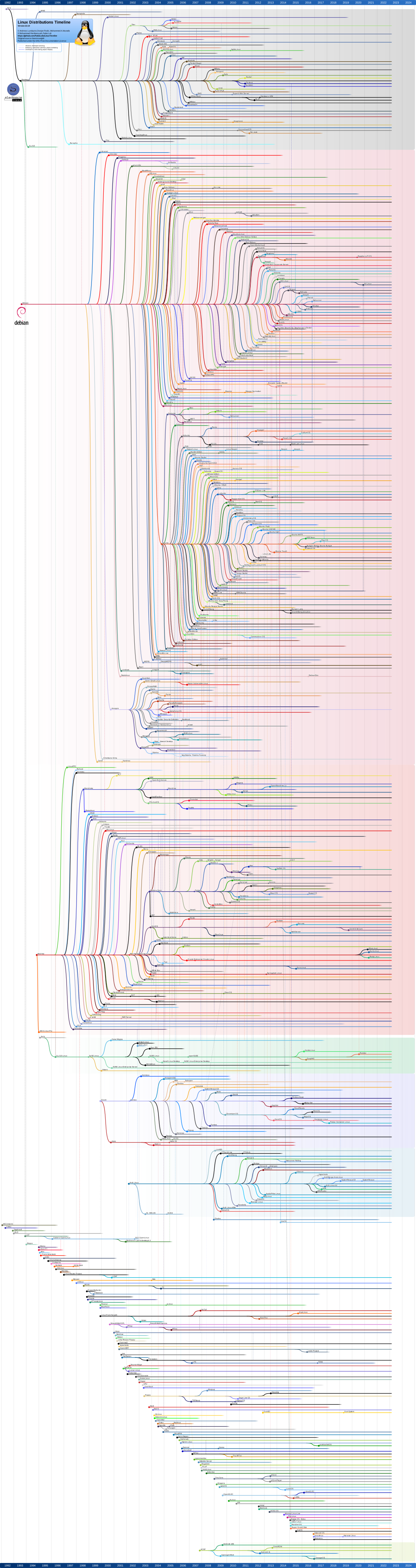
As you all should probably know (considering you somehow found this blog), here in the Linux land, we have things called distributions of Linux (also called a distros) which basically defines the default apps and package manager on said distro. As you can guess, there are thousands of distros (just see DistroWatch which lists many many distros, or the distro-tree over at Wikipidia), and out of all of them, the one that I use is… NixOS!
I absoloutly love it here! Probably the best distro ever!!! I know you shouldn’t do stuff that causes vendor (or distro) lock in, but at this point I’m too far gone into the NixOS rabbit hole.
Despite that, I really don’t think that you should be using it as
well*…
* except if you are someone (insane) like me :3
Other Peoples Opinions
In my opinion, a really funny answer to wether people should use NixOS is Henrik Lissner’s dotfiles
- Should I use NixOS?
Short answer: no.
Long answer: no really. Don’t.
Long long answer: I’m not kidding. Don’t.
Unsigned long long answer: Alright alright. Here’s why not:
…
read it on their GitHub if you want the full text
But if that short quote doesn’t tell you that you shouldn’t use NixOS, then take the countless memes over on r/NixOS so if you don’t believe me, just take the word of the countless other NixOS users.
I even found a Github Repo with many Nix related memes lmao (most of them are just slander on the pain of Nix).
Well, now that you’ve seen other peoples opinions, I should probably get around to saying mine.
NixOS’s Quirks
NixOS is probably the most different distro from any other, storing things in a non-filesystem-hierachy-standard (FHS) way, being able to boot without anything but the /nix/store & /boot folders (due to everything being in the /nix/store (known as the store)), allowing you to have many versions of the same app installed, and not being able to configure stuff in a “normal” way.
If you just started Linux, the issue of not understanding stuff is compounded as you both have to learn about Linux, and also Nix’s abstractions on top of it. For example, while the main system isn’t FHS compliant, each package is (hence why packages have /etc, /lib, or /bin folders) and how your root folder is just symlinked to the store.
NixOS also have different ways of configuring anything which makes it confusing when you look online for any resources.
Recently (a few months ago from the time of writing this) I made the mistake of allowing one of my non-programmer friends to use NixOS as their beginner distro. If you know anything about using NixOS, you know that everything is configured in Nix (the programming language), and life becomes significantly harder when you don’t understand coding.
While NixOS is incredibly stable (it is basically impossible to brick your system), configuring in any way, such as installing a package, is quite hard. Luckily this friend is quite smart and was able to pick up stuff quite quickly, but I’m sure if it was anyone else, they would have just given up due to so many things being different.
If you were wondering what my friend who switched to NixOS says about it, here is a quote from them:
If you are looking for basic, it is probably not the best. Once you set it up, you don’t have to worry about it. You can also sink your teeth into it if you want.
Several issues also do arise due to the oddness of NixOS and its weird system layout. Any sort of GUI package manager front end is an example of something that cannot really be added onto NixOS is a graphical package manager front-end. This is due to no two Nix configs’ layouts being the same, with everyone having a different preference on how to define the packages on their system, making it basically impossible to do this. Some do exist (most notionally Nix Software Center, but IMO it’s still a better idea to configure stuff yourself).
The NixOS Configuration Editor also exists for anyone who wants a GUI front end for editing your config, but once again it fails to consider every different users preference. Both of these projects are quite cool, and good on them for trying! Just not something that I’d recommend to anyone…
Confusion
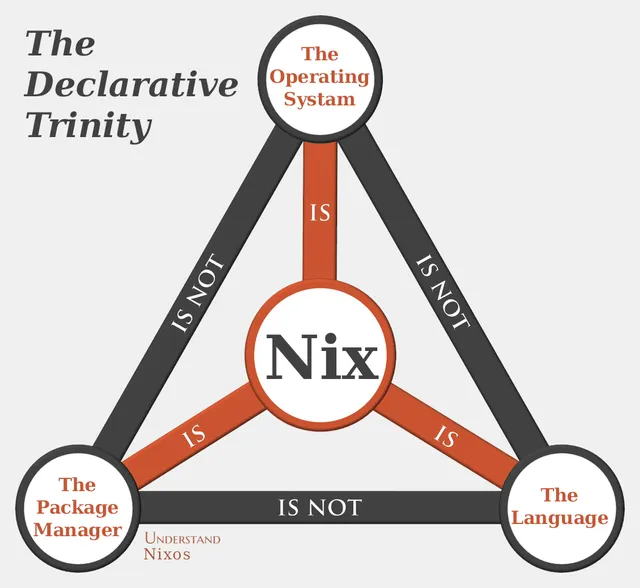
As I said before, NixOS has lots of odd things that may make you confused. Such as Nix being the Package Manager, the OS, and the Language; But the Language, Package Manager, and OS not being the same (lol, gotta love naming).
Flakes also exist, which I’m not even gonna try and explain.
But at least some things become easier. When installing some system package, it is a billion times easier to get set up, for example tailscale is just services.tailscale.enable = true. If that seems easy, everything is like that! Unlike with other distros where you need to edit some random file in /etc/systemd/system/ and learning a new format to do anything with systemd services, on NixOS you can easily do this the same way as you configure everything else in your system by doing stuff to systemd.service.
Wanna enable plasma? That’s just services.desktopManager.plasma6.enable = true. How about applying a kernel patch? You guessed it, it’s just at boot.kernelPatches.
Only downside to this are the abstractions related to it. When I was setting up Nginx for my server, I got confused in many places due to NixOS’s abstractions towards the Nginx config. This confusion with the abstractions does tend to pop-up a lot when dealing with stuff in your nix config, especially due to there being not as many resources on how Nix handles this sort of stuff (as what you are probably trying to configure is a niche app, on a niche distro, on niche OS). The only real way to remove this is to make it one-to-one map to the app’s config system, such as whats done with VaultWarden, or writing stuff in a string.
Resources For Starting
Still wanna use NixOS? Well, Nix incredibly confusing to get used to if you don’t have someone or a good resource to help you. So like the thousands of other resources, I will also provide my own tid-bit to hopefully help you in some way.
Firstly it may be a good idea to read the wiki to get some ideas on the terms, and I recommend taking a look at Vimjoyer and LibrePhoenix. If you wanna learn the language, then NixCloud’s tour is really nice!
And now, here we go onto my stuff (feel free to skip it as it is quite long).
When doing the nixos-rebuild command, there are other things you can put at the end of it to modify its behaviour, such as:
boot: Adds the newest generation to the boot menu, but doesn’t switch to it until you reboottest: Switches to the new generation, but doesn’t add it to the boot menu. So once you reboot, it’ll revert back to the last generation that was added to the boot menuswitch: Adds it to the boot menu and switches to itbuild: Just generates the generation (downloads everything needed as well). It doesn’t switch to it or add it to the boot menu
There are also some housekeeping ones you should know (and their nh equivalent as nh just looks cool)
sudo nixos-rebuild switchornh os switch: You should know what it does by the commands abovesudo nix-collect-garbage --delete-older-than 5d: Delete anything in the nix store that isn’t being used and is older than 5 days (including deleting your older generations). With nh you can donh clean all -k 5which keeps 5 of the previous generations no matter the date, or use capital “K” if you wanna say delete older than (similar to the base command)sudo nix-channel --update: Updates your system. If/Once you move to flakes, it’d benix flake updatein the folder of the flakesudo nix store optimise: Optimises the store without removing anything. It just removes duplicate files across the store (ie, let’s say you have 2 versions of Firefox installed, with both of then having some of the same files (such as a font). The optimisation will make it so those duplicated files are no longer duplicated (only keeping one (real) copy of the file))
Also, I would recommend adding stuff like auto updates, store optimisations, and garbage collection (probs using nh) to your nix configuration so that it does it automatically. (And if an update breaks anything, you can just roll back! Hence why it should be fine to enable it on NixOS)
Once you have migrated over to flakes, a /etc/nixos is no longer required
That’s why you have to provide the path to the flake when using it, while you didn’t before.
Just like any other nix file, a flake can import stuff from other files, hence why you can have the flake.nix in a different place to your main configuration.nix. In fact, you can rename the configuration.nix to anything else as long as it is properly referenced by your flake.
For example, if you look in my dotfiles, there is a single flake.nix and flake.lock at it’s root, and it doesn’t ever call to a file called configuration.nix
In short, a flake is just a way of making some more things on your system (such as the version) declarative. You can have a single flake due multiple things due to different apps looking for a different part of it.
If you see the NixOS wiki, when you are rebuilding your system, it is looking for a nixosConfigurations."<hostname>" = {};. That’s why you had to pass along a -H to nh (as your current hostname couldn’t not be found in the flake).
Usually, flakes are kept minimal, so rather than putting your systems config in that nixosConfigurations."<hostname>", you import another nix file from somewhere else.
You can also view all the outputs of a flake by using nix flake show.
Stuff like building apps look for packages."<system>".default = derivation;, home manager looks for homeConfigurations.<username> = {};, and so on.
And the reason the flake.lock exists is so that when you get stuff from the web (such as in the inputs section of your flakes) has an exact version matched with it. If you remember, before there was no way to use a configuration.nix to know what version of nixos you were on. But with flakes, the exact version is stored in the lock file.
All the info in the block above is slightly modified from what I’ve sent to my friend, so I just decided to modify it and release it in case it is useful to anyone else.
Conclusion
If you are naive and want a simple answer, then no. Don’t use NixOS. It’s a pain to do anything with, especially with it’s abstractions upon abstractions and the massive learning curve.
Otherwise if you are willing to do a lot of work to understand NixOS, then it is an amazing distro that you’d never be able to leave (and you wonder how you used anything else).
About the image
Post by Nixos:
spacebanana @spacebanana on the NixOS discourse.
I really liked this image, so I decided it would be nice to use.